ClawBox Review - A Plug-and-Play NVIDIA Jetson AI Assistant on Hardware You Actually Own
ClawBox: A Private AI Assistant That Lives on a Box You Own
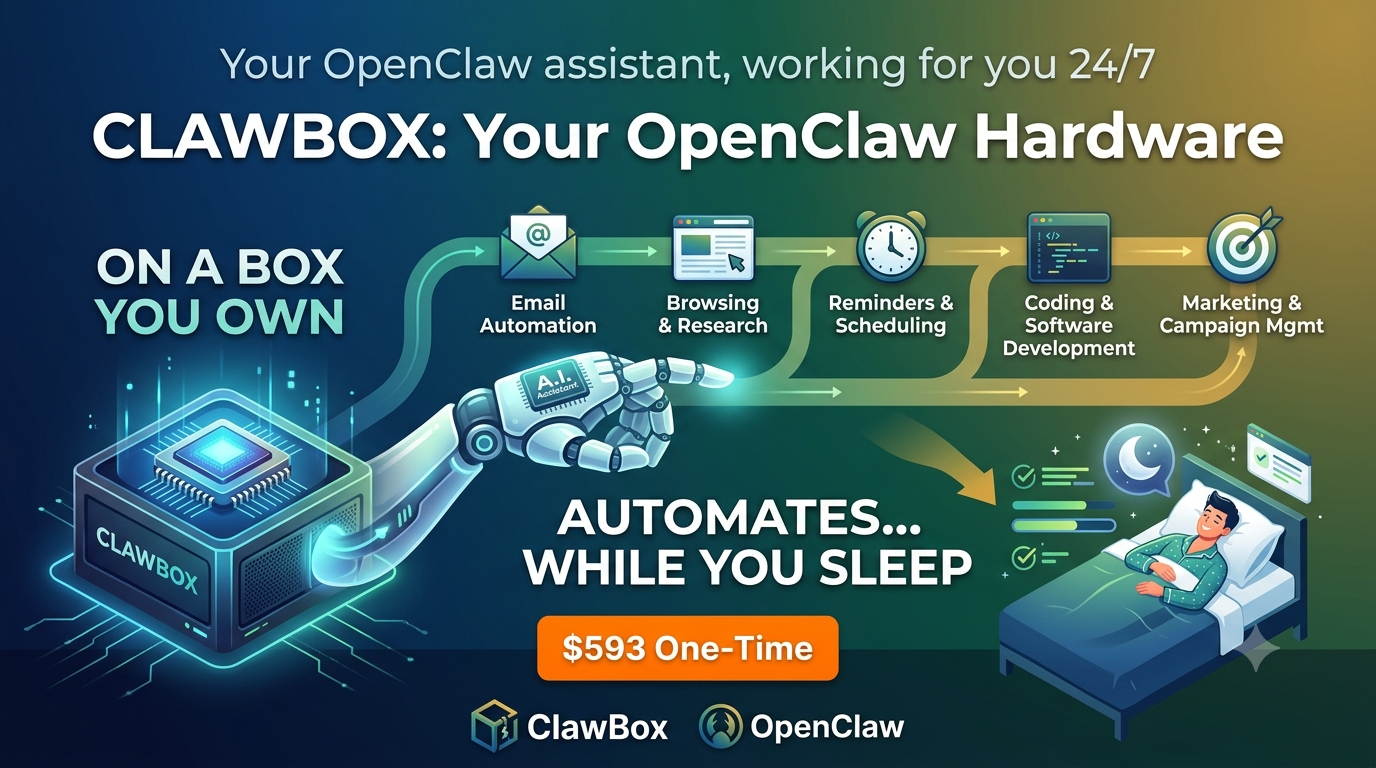
Most "personal AI assistants" live in someone else's data center. You send a prompt, it travels across the internet, and a company you have never met decides how your data is stored, logged, and used. For a lot of people that trade-off is fine. For privacy-conscious self-hosters, developers, and small teams who want an always-on agent that does real work, it starts to feel like renting something that should be yours.
ClawBox takes the opposite position. It is a pre-configured AI assistant that ships as physical hardware you keep on your desk or in your homelab. The pitch is refreshingly concrete: plug it in, scan a QR code, and you have a local-first AI agent running on your own dedicated machine in about five minutes. This ClawBox review looks at what the box actually is, how the setup holds up, what it does well, and where you should keep your expectations in check.
Quick disclosure before we go further: ClawBox is a vendor-supported product made by ID Robots (IDRobots). That does not change the specs or the clear-eyed take below.
TL;DR
ClawBox is a €549 one-time, plug-and-play Jetson Orin Nano AI assistant that runs the OpenClaw platform locally on hardware you own, with optional cloud AI (Claude, OpenAI) when you want extra muscle. Setup takes about five minutes, it ships worldwide via DHL, and it fits privacy-minded self-hosters, makers, and small teams who want a dedicated, always-on agent rather than another monthly subscription. If that describes you, it is an easy recommendation. Rating: 4.5/5.
What ClawBox Actually Is
Strip away the marketing and ClawBox is three things bundled together:
- A capable edge AI computer built around an NVIDIA Jetson Orin Nano Super 8GB delivering roughly 67 TOPS of on-device compute.
- Real storage and a real chassis: a 512GB NVMe SSD, a 6-core ARM Cortex CPU, and a carbon-fiber case that is meant to sit out in the open rather than hide in a closet.
- The OpenClaw platform pre-installed and ready to run, so you are not compiling anything or wrestling with drivers on day one.
That last point is the whole reason this ClawBox AI assistant exists. You can absolutely build your own Jetson-based AI box. Plenty of people in the r/LocalLLaMA and r/selfhosted crowd have done exactly that. But sourcing the board, flashing the OS, sorting out the storage, and getting an agent framework running reliably is a weekend project at best and a rabbit hole at worst. ClawBox is the appliance version of that project. Someone did the assembly and configuration so you do not have to.
If you have been searching for pre-configured AI assistant hardware or a plug-and-play local AI assistant that does not demand a DIY build, this is squarely aimed at you.
Why the Hardware Choice Actually Matters
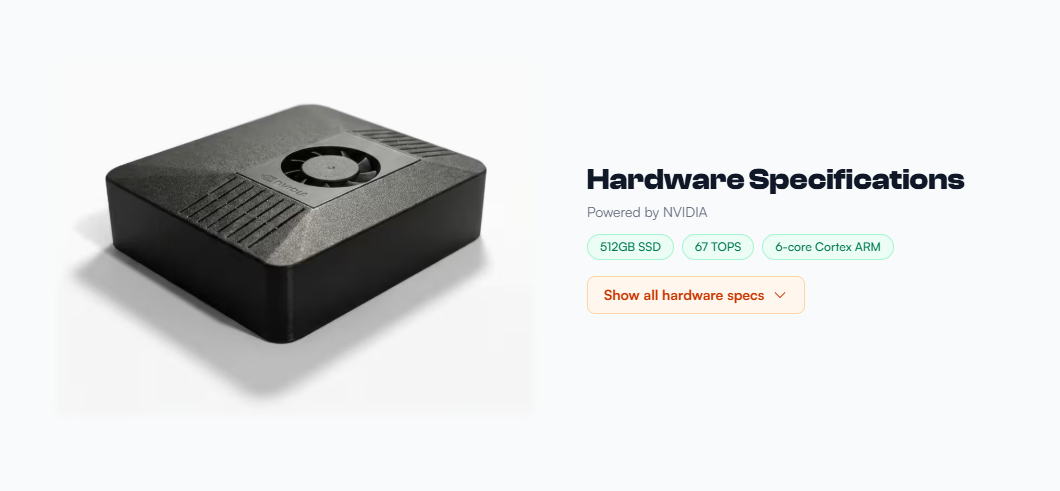
It would be easy to dismiss the spec sheet as marketing, but the parts here were picked for a reason, and it is worth understanding why they suit an always-on assistant.
The NVIDIA Jetson Orin Nano Super 8GB sits in a sweet spot that a Raspberry Pi cannot reach and a full desktop GPU does not need to. At roughly 67 TOPS it has enough on-device inference muscle to run smaller local language models, handle vision tasks, and drive an agent loop without offloading everything to the cloud. The 8GB of unified memory is the practical ceiling to keep in mind: it is comfortable for the quantized models most people run at the edge, and it is why frontier-scale work is better handed off to an optional cloud model when you need it.
The 512GB NVMe SSD is more important than it looks. Agent workloads generate logs, cache model weights, and store context, and an assistant that runs 24/7 will chew through cheap eMMC storage over time. Real NVMe gives you both the speed for model loading and the headroom for months of operation.
The 6-core ARM Cortex CPU handles the orchestration, browser automation, and the dozens of small tasks that are not neural-network heavy. And the carbon-fiber case is a small but telling detail: this is designed to sit on a desk, not be hidden away, and it doubles as passive protection for hardware you are meant to keep for years.
The through-line is efficiency. This is edge AI hardware built to hum along quietly in the corner rather than a gaming rig repurposed into an assistant.
The Setup: Does "5 Minutes" Hold Up?
The headline claim is a roughly five-minute setup, and the flow is genuinely simple:
- Plug in. Connect power and your network. A short guided wizard walks you through the basics.
- Choose your AI. Run models locally on the box, or connect an optional cloud provider like Anthropic Claude or OpenAI. You can switch between them without rebuilding anything.
- Send a task. Message it through Telegram, voice, or the web interface and it gets to work. No code required.
The QR-code onboarding is the part that makes the "no DIY" promise feel real. You are not editing config files or SSHing into anything to get started. For a self-hosted AI assistant appliance, that is a meaningfully lower barrier than the usual homelab experience.
Here is what that flow looks like in practice. You take the box out, connect it to power and either Wi-Fi or Ethernet, and it boots straight into the guided wizard. Scanning the QR code links the device to your control channel, so instead of typing an IP address into a browser and hoping the ports line up, you point your phone at a code and you are in. From there you pick your model, connect a channel like Telegram, and send your first task to confirm it is alive. There is no OS to flash, no Python environment to babysit, and no dependency hell.
Two honest caveats. First, "five minutes" assumes a normal home network with no unusual firewall rules. If your setup is locked down, budget more time. Second, the deeper you go into custom skills and integrations, the more it starts to resemble a real platform with a real learning curve. That is a feature for makers and a consideration for everyone else.
Compared to the DIY route, the time saving is the real product. Building an equivalent box yourself means sourcing the Jetson, flashing JetPack, configuring storage, installing the agent stack, and debugging the inevitable driver mismatch. ClawBox collapses all of that into a coffee break.
Local-First, With Cloud AI as an Option
This is the nuance that matters most, so let me be precise about it. ClawBox is a local-first, private AI hardware device. Your AI, your data, your hardware is the actual positioning, and the box can run models on its own silicon.
It is not an "air-gapped, never-touches-the-cloud" appliance, and ClawBox does not claim to be. Cloud AI providers such as Claude and OpenAI are supported as an optional add-on for when you want frontier-model quality for a specific task. The design goal is control: you decide, task by task, whether something stays on the box or reaches out to a cloud model. The vendor also states they do not log your data and that the code is open for you to verify.
For the privacy-conscious buyer, that framing is the right one to internalize. You own the hardware and the default runs locally, but the cloud option exists if you want it. Treat any provider you connect according to that provider's own terms.
Specs at a Glance
| Component | ClawBox |
|---|---|
| Compute | NVIDIA Jetson Orin Nano Super 8GB, ~67 TOPS |
| CPU | 6-core ARM Cortex |
| Storage | 512GB NVMe SSD |
| Software | OpenClaw pre-installed (ClawBox OS) |
| Case | Carbon-fiber chassis, low power draw for 24/7 use |
| Channels | Telegram, WhatsApp, Discord, web interface, voice |
| Price | €549 one-time (optional AI subscriptions extra) |
| Shipping | Worldwide via DHL (EU, US, UK, CA, AU and more) |
What It Does Day to Day
ClawBox is built to be an always-on agent, not a chatbot you open and close. It leans into the practical, repetitive work, and you delegate by chat or voice from Telegram, WhatsApp, Discord, or the web. Here are the scenarios where a dedicated box actually earns its keep:
- The morning brief. Before you sit down, it has already scanned your inbox, pulled out anything time-sensitive, checked your calendar for conflicts, and flagged a subscription that renews next week. You read a short summary instead of triaging fifty emails.
- Overnight research. You ask it to compile competitor pricing or gather sources on a topic while you sleep, and the results are waiting in the morning. Because it is always on, long-running jobs do not need your laptop to stay open.
- Automation that survives bot blocking. Filling a recurring form, checking stock on a site that fights scrapers, or logging into a portal to pull a report. This is the genuine differentiator, because the browser automation is built to behave more like a real session than a generic bot, which is where a lot of DIY scripts fall apart.
- A shared team agent. Point a small team at the same box through Discord or a shared channel, and everyone can delegate tasks to one dedicated worker instead of each person paying for a separate cloud seat.
The OpenClaw Platform and 580+ Skills
The OpenClaw foundation is what keeps this from being a closed box. It is an open, hackable platform with 580+ skills, and because you own the hardware you are free to extend it rather than waiting on a vendor roadmap.
Skills are the modular capabilities the agent can call on, covering things like email, calendars, browsing, messaging, reminders, and coding tasks. The practical upshot is twofold. For non-technical owners, a large skill library means most common jobs already have a building block ready to go, so you are configuring rather than programming. For developers and makers, an open platform means you can write your own skills, inspect what the box is doing, and wire it into the rest of your homelab or Home Assistant setup.
This openness is the core appeal for the self-hosting and maker audience, and it is the clearest line between ClawBox and a sealed consumer gadget. You are buying a platform you can grow into, not a fixed feature set that quietly stagnates.
From Prompt to Running App
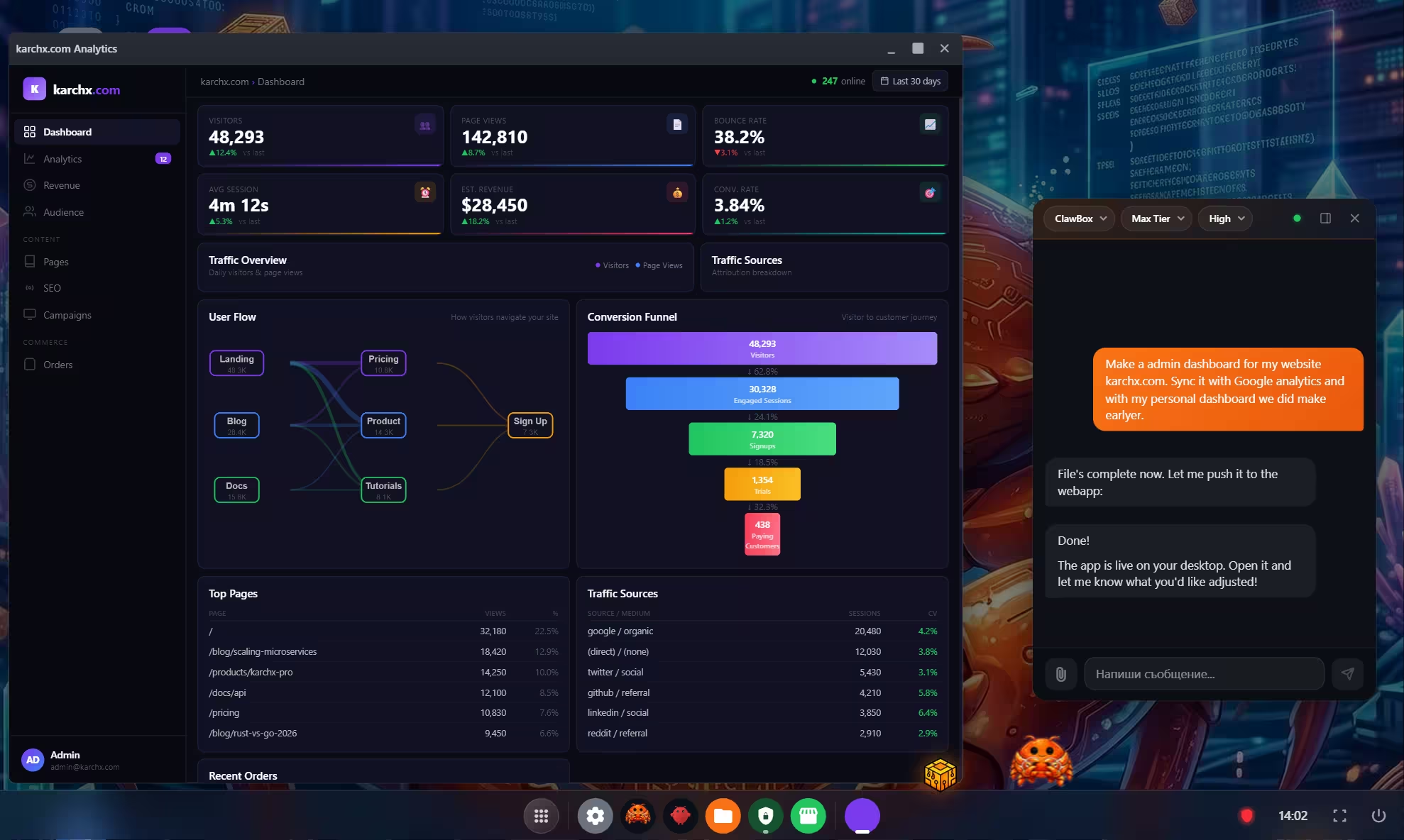
One capability worth calling out separately: ClawBox OS can take a plain-language description and turn it into a working application. Describe what you want in natural language — a dashboard for your homelab metrics, an automation that checks a supplier portal every hour, a scraper that monitors pricing changes — and ClawBox builds it and runs it without you writing code.
This is a meaningful step beyond the skill library because it removes the boundary between "things someone already built a skill for" and "things you need but no one has packaged yet." You describe the job, and ClawBox generates and deploys it. For makers and small teams who need custom tools without a development cycle, that capability shifts the platform from convenient to genuinely productive.
ClawBox vs the Alternatives
The official ClawBox comparison page lays out five real alternatives buyers weigh. Here is how the numbers actually break down.
| Factor | ClawBox | Cloud AI (ChatGPT/Claude) | Home Server (e.g. gaming PC) | Raspberry Pi 5 | Mac Mini | Cloud VPS |
|---|---|---|---|---|---|---|
| Upfront cost | €549 one-time | $0 | Cost of parts | ~€80 | €699+ | $0 |
| Ongoing cost | Optional cloud AI only | $20/mo per service | €750+/yr electricity | Negligible | Electricity | Monthly VPS bill |
| Power draw | 7-15W | N/A | 200-500W | ~10W | 40-65W | N/A |
| AI compute | 67 TOPS (dedicated accelerator) | Remote frontier models | Limited (no dedicated AI HW) | ~33x weaker | Depends on model | Depends on GPU rental |
| Setup effort | ~5 min, pre-configured | Instant sign-up | Weeks of tinkering | Hours of config | Out of box, not AI | Server setup + AI stack |
| Privacy | Data stays on your hardware | Data in their data center | Your hardware, your data | Your hardware | Your hardware | Data in someone else's DC |
| Always-on ready | Yes, built for it | Yes, but ongoing fees | Possible but power-hungry | Possible, weak | Possible but idle tax | Yes, but monthly cost |
Cloud AI (ChatGPT Plus, Claude Pro at roughly $20/mo each) costs nothing upfront, but you hit the €549 ClawBox price in 10-20 months of subscription fees, and you never own anything.
Home servers running AI get the job done but draw 200-500W, a real electricity line item, and can take weeks to configure.
A Raspberry Pi 5 is cheap and fun, but ClawBox delivers roughly 33x the AI performance because it was purpose-built for edge inference rather than repurposed from general-purpose hardware.
The Mac Mini starts at €699 with 40-65W draw, and while it is a fine desktop, it was not designed to sit in a corner running AI agents 24/7.
Cloud VPS solutions from AWS, Hetzner, or DigitalOcean give you remote control with no upfront hardware, but your data lives in someone else's data center and the monthly bill never stops.
ClawBox lives in the middle of all of that. You pay once, own the device, draw about as much power as a low-wattage light bulb, and get a purpose-built AI accelerator with a pre-configured agent stack that is ready in minutes.
Living With It 24/7: Power, Noise, and Reliability
An always-on device only makes sense if you can forget it is there, so the boring details matter.
The official comparison page puts ClawBox power draw at 7-15W, about as much as a low-wattage LED bulb. Compare that to a typical home server repurposed for AI, which pulls 200-500W and turns your electricity bill into a second subscription. Even a Mac Mini draws 40-65W at idle, nearly three times the upper end of ClawBox. Over a year of 24/7 operation, that difference adds up in real money.
The carbon-fiber case and fanless-or-near-silent design mean it is meant to sit on a desk rather than scream inside a server rack. And the 30-day money-back window the vendor lists gives you a real chance to confirm it fits your space and workflow before you commit. For a piece of hardware you plan to leave running, that low-drama profile is arguably as important as the spec sheet.
Pricing: One-Time Hardware, Optional Subscriptions
ClawBox is €549 as a one-time hardware purchase. There are no older $299 or $399 figures to worry about; the current price is €549. Klarna instalments (3 payments of €183, 0% interest) are available at checkout, and the vendor lists a 30-day money-back window.
The important distinction: you are buying the hardware outright. If you want to use optional cloud AI providers, those subscriptions are separate and entirely up to you. For a lot of buyers the math is straightforward. Instead of an open-ended monthly AI bill, you pay once for a machine you keep, and you only pay for cloud models if and when you actually want them.
The official comparison page puts a finer point on it. At roughly $20/mo for ChatGPT Plus or Claude Pro, your subscriptions cross the €549 ClawBox price in about 10-20 months. From that point forward the box costs you nothing while the cloud bill keeps accumulating. Against a monthly cloud VPS, the break-even comes closer to 12 months. Those numbers change depending on which services you use, but the trajectory is the same: a one-time hardware buy that pays for itself within a year or two of use.
Reader note: you can use code CLAWBOX10 for 10% off at checkout.
Who ClawBox Is Right For
A strong fit if you are:
- A privacy-conscious user or self-hoster who is wary of cloud-only AI and wants a private, local AI hardware option.
- A developer, maker, or homelab enthusiast who wants a hackable OpenClaw hardware platform without the full DIY build.
- A busy professional, founder, or small team that wants dependable browser and workflow automation that just works.
Think twice if you are:
- Someone who only needs occasional chatbot access. A €549 appliance is overkill when a browser tab does the job.
- Expecting a fully offline, zero-cloud guarantee. The local-first design is real, but cloud AI is an option rather than a promise of total isolation.
- Not comfortable tinkering at all. The basics are plug-and-play, but the platform rewards people who like to explore.
Frequently Asked Questions
Does ClawBox work without the cloud? It runs local models on the box by default, and cloud providers like Claude or OpenAI are an optional add-on. You control which tasks stay local.
What hardware is inside? An NVIDIA Jetson Orin Nano Super 8GB (about 67 TOPS), a 6-core ARM Cortex CPU, a 512GB NVMe SSD, and a carbon-fiber case, with OpenClaw pre-installed.
How much is it and is it a subscription? €549 one-time for the hardware. Any cloud AI subscriptions are separate and optional.
Where does it ship? Worldwide via DHL, including the EU, US, UK, CA, and AU.
Who makes it? ID Robots (IDRobots). It is a vendor-supported product built on the open OpenClaw platform.
Can I control it from my phone? Yes. It works through Telegram, WhatsApp, Discord, a web interface, and voice, so you can delegate tasks from wherever you already chat.
Do I need to know how to code? No for the everyday tasks, which are handled through chat and voice. If you want to build custom skills or deep integrations, coding knowledge helps, and that is where the open platform shines.
How does it compare to just building my own Jetson box? You end up with similar hardware, but ClawBox saves you the sourcing, flashing, and configuration. You are paying for the time and the ready-to-run OpenClaw stack rather than a wildly different spec.
Is there a warranty or return option? The vendor lists a 30-day money-back window, and Klarna instalments (3 payments of €183, 0% interest) are available at checkout.
Final Verdict
ClawBox does something that sounds simple but is surprisingly rare: it makes owning your AI assistant genuinely easy. The Jetson Orin Nano Super hardware is well matched to always-on use, the OpenClaw platform gives you room to grow, and the roughly five-minute setup removes the friction that usually keeps a private AI box stuck on someone's to-do list.
It is not for everyone. Casual users will find it excessive, and anyone expecting a totally offline guarantee should read the local-first-with-optional-cloud framing carefully. But for privacy-minded self-hosters, makers, and small teams who want a dedicated, always-on agent with real automation chops, the value proposition is clear and the €549 one-time price is honest.
Rating: 4.5/5 stars
Delivers: True hardware ownership, fast plug-and-play setup, an open and extensible platform, and browser automation that works where generic bots get blocked.
Watch for: A real learning curve once you go deep, cloud AI as an optional (not free) layer, and a price that only makes sense if you want an always-on assistant rather than casual chat.
Ready to put a private AI agent on hardware you own?
👉 Get your ClawBox and use code CLAWBOX10 for 10% off.
You can also Explore the specs and 580+ skills on GitHub or watch the unboxing video before you decide.
Tags
# Review# ClawBox review# ClawBox AI assistant# NVIDIA Jetson AI assistant# Private AI hardware# Local AI hardware# OpenClaw hardware# Pre-configured AI assistant hardware# Edge AI assistant box# Plug-and-play local AI assistant# Self-hosted AI assistant appliance# Jetson Orin Nano AI assistant# Self-hosted AI# Edge AI# Home automation# Workflow automation# Browser automationFollow for new blogs
Subscribe to our blog
Subscribe to Newsletter
Subscribe to our newsletter to get the best products weekly.